
Overview
Mobile devices offer the ability to switch between portrait and landscape orientations, providing users with more flexibility in how they interact with and consume content.
Principles

- User Control and Preference: Respect the user's orientation preferences and avoid forcing a specific orientation.
- Consistent User Experience: Maintain a consistent and predictable user experience regardless of the device's orientation.
Guidelines
Content and functionality should not be restricted to a single device orientation, such as portrait or landscape, unless meeting the following criteria:
- Removing the restriction would fundamentally change or compromise the information or functionality of the content.
- There is no other way to achieve the same information or functionality in a manner that conforms to accessibility guidelines and supports both orientations.
Support both portrait and landscape orientations properly
Ensure the app's content, layout, and functionality can adapt to portrait and landscape orientations without losing accessibility.
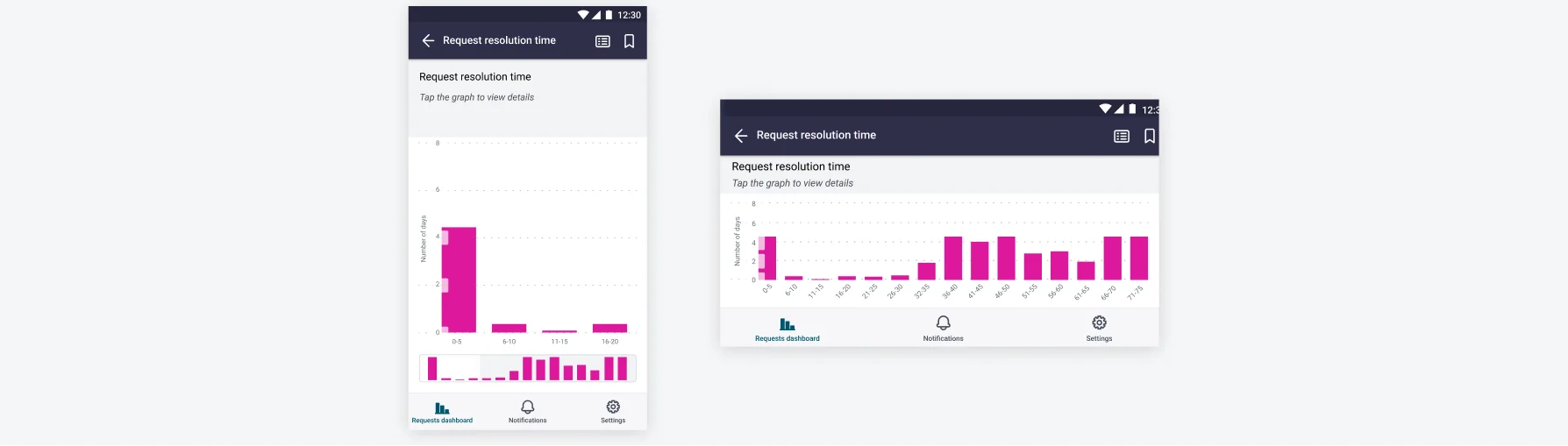
Optimize layout and responsiveness
Design interface to automatically adjust the layout, typography, and spacing to maintain readability and usability in both portrait and landscape modes.
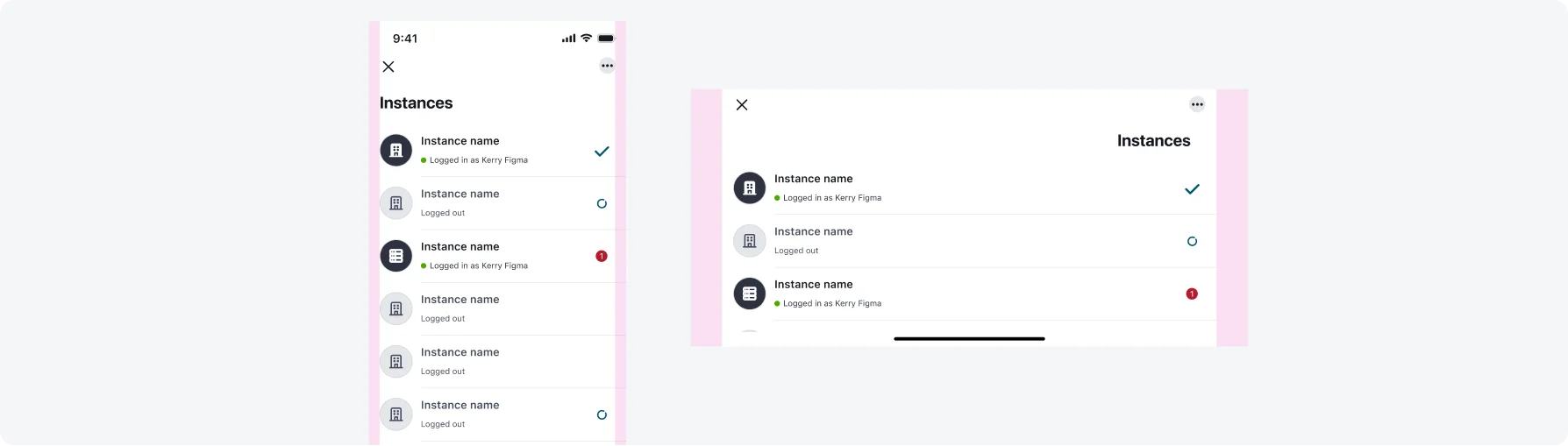
Set larger margin for landscape view.
Testing
Testing orientation support is an important part of ensuring accessibility in our mobile applications. By verifying that the app functions correctly in both portrait and landscape orientations, we ensure a flexible and consistent experience for users with different device usage preferences. Our testing protocols include:
Visual Inspections
Our testing team performs manual testing by rotating the device and navigating through key user flows to ensure that content, layout, and functionality adapt correctly across orientations.