

Anatomy
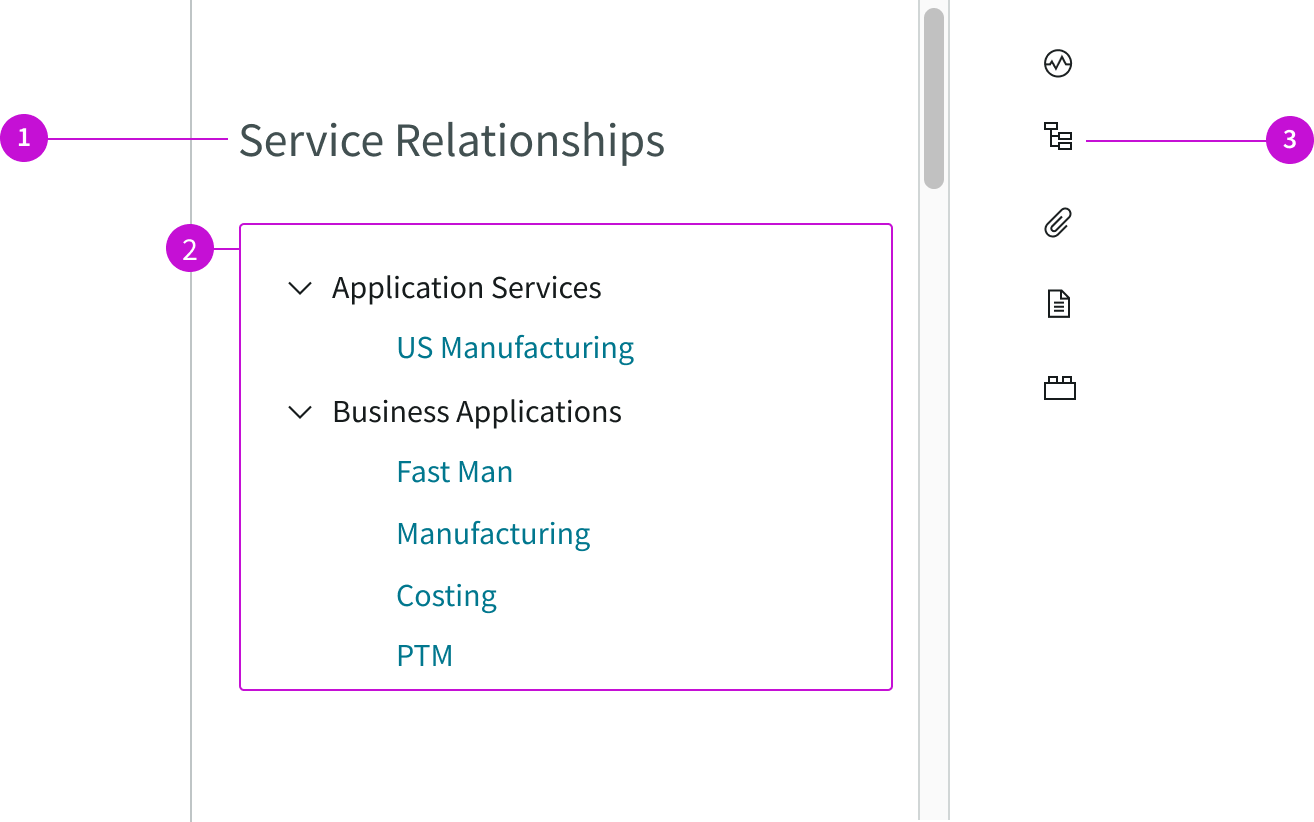
- Title: Default title of the panel
- Content tree: Hierarchical tree that shows the relationships of the configuration items in the list to the current CI being viewed; related CIs are displayed under collapsible classes
- Contextual side panel icon: Opens and closes the panel containing the CI relationships tree
Usage
The CI service relationships page tracks the relationships between a configuration item (CI) and the services it supports. The content tree provides links to drill down into the services in each class.
Users can use this page template to:
- Open a CI record to view deatils by selecting a link
- Track services that might be affected by an outage or a change
- Open a dashboard to see details for a dependent service
- View tasks, incidents, or change requests associated with a service
Components
The CI service relationships page template is built with Horizon Design System components that have their own attributes.
Content tree
The content tree component displays the relationship between parent and child nodes in a collapsible, hierarchical structure. Child nodes in the tree are linked to records that display in tabs. For more information, see the usage guidelines for content tree.
Interactions and behaviors
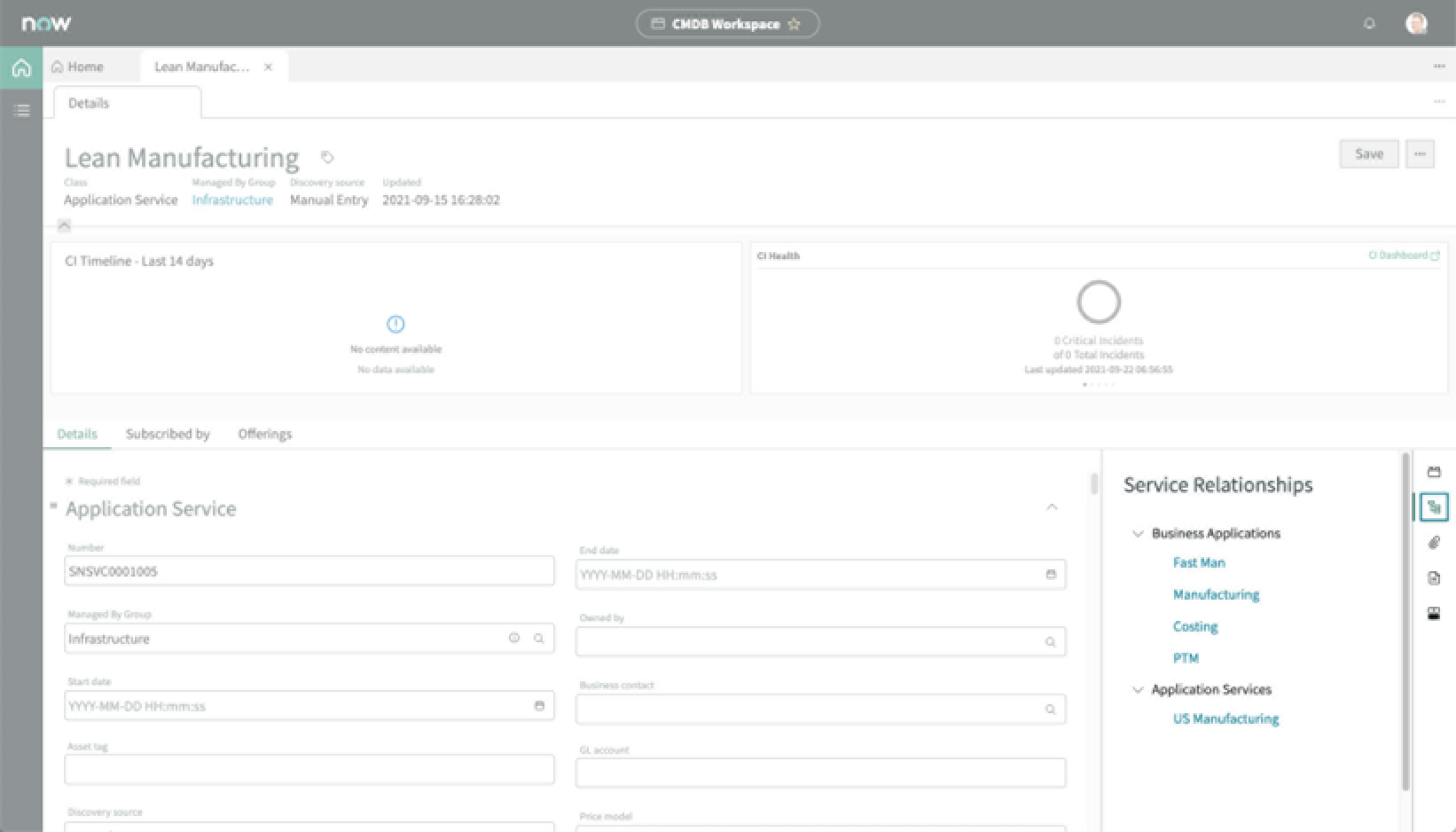
This is how the content tree reacts to user interaction and changes to the container size when used in the CI service relationships page template.
- When the content tree is taller or wider than the height of the parent container, a scrollbar appears to let the user see the full content tree.
- Parent classes and child nodes have a highlighted hover state.
- Clicking the chevron icon on a CI class expands or collapses that node.
- Users can click child node links to open a record associate with that CI in a subtab.
- Users can resize the content tree container by grabbing the handle on the divider and dragging it right or left.
Defaults
By default the content tree displays these attributes:
- Entries that are too wide for the container wrap to two lines.
- Each child node indicates how many levels are included in that relationship.
- Four types of service relationships are provided by default:
- Business Applications
- Business Service Offerings
- Technical Service Offerings
- Application Services
Configurations
The CI service relationships page template is intended to be used as-is in your experience and provides default functionality that fits most use cases. The page is created from a template that is updated automatically. If you copy the template in UI Builder and customize the page, you won’t receive template updates, and your page might not function properly after an upgrade.
Selecting the icon
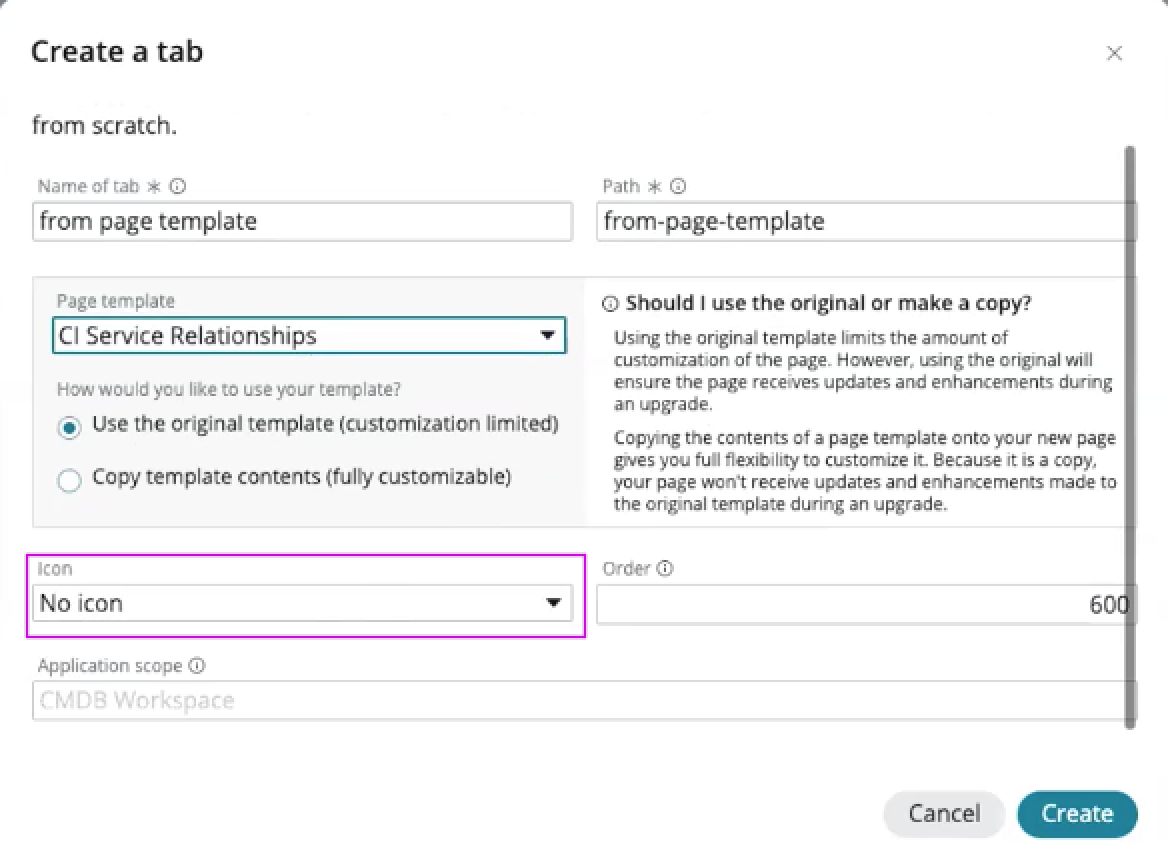
Users can configure the icon that opens the relationship panel from the contextual sidebar. The Icon field is in the dialog box used to create a tab. Use the dropdown to select an icon from the library.
Event action
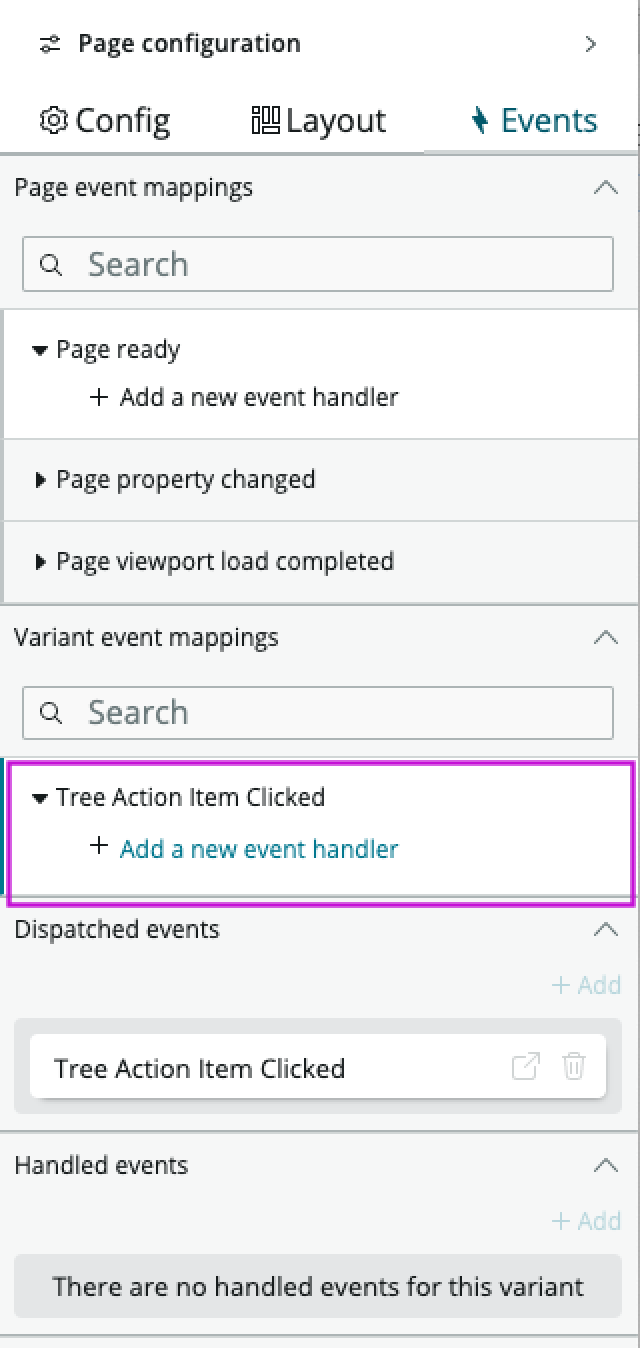
Selecting a child node in the tree triggers the Content tree actionable item clicked event. This event doesn’t have a default action associated with it and must be configured to perform the action you want, such as opening a record. When the page is referenced by another screen, you can add an event handler to the body of the CI servce relationships page under Variant event mappings. Use this selection to configure a different action when a child node is selected.
Usability
The CI service relationships page template complies with all internationalization and accessibility requirements.
Internationalization
When this page template is used in an instance configured for a right-to-left (RTL) language, the individual components have their own behaviors. See the usage guidelines for the components used in the page for details.
Accessibility
For accessibility behaviors of specific components, see the usage guidelines for those components.
Keyboard interactions
Each component used in the CI service relationships page template has its own tab order and keyboard interactions. See the usage guidelines for details.
Screen readers
When you apply ARIA labels to a component, screen readers announce the controls and content of each component in the prescribed tab order. See the usage guidelines for details.