

Anatomy
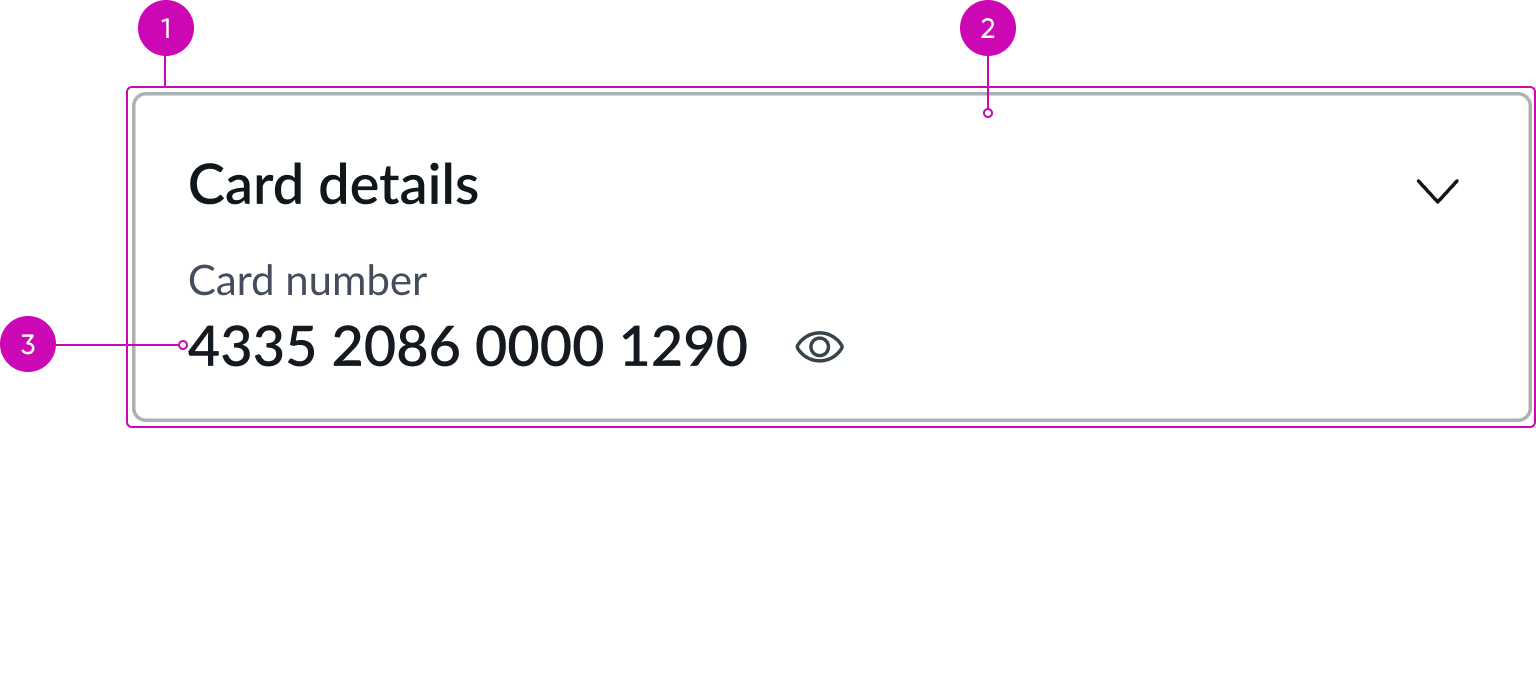
- Card container: Wrapper for the component
- Iframe: Isolates and renders PCI data
- Content: Displayed inside the iframe, retrieved from the tokenizer vault according to the selected container type
Usage
Use the card data security container to handle card data and sensitive documents in a PCI-compliant manner. The container contains iframes that isolate and render sensitive financial data, enabling users to securely enter card data, display card data, upload documents, and view uploaded documents, depending on the configured container type.
Configurations
Learn how to customize card data security container by configuring the available properties.
Container type
The container type you select determines the behavior of the card data security container.
Input card data
Use the card data security container to enter card data using embedded input fields.
PCI Input elements
When the container type is set to Input card data, you can define which card data fields display. Supported field types include:
- Card number
- Cardholder name
- Expiration date, month, and year
- CVV
- PIN
- Generic input field
Display card data
Use the card data security container to display existing card data. You can control how much card information displays by configuring reveal and masking settings.
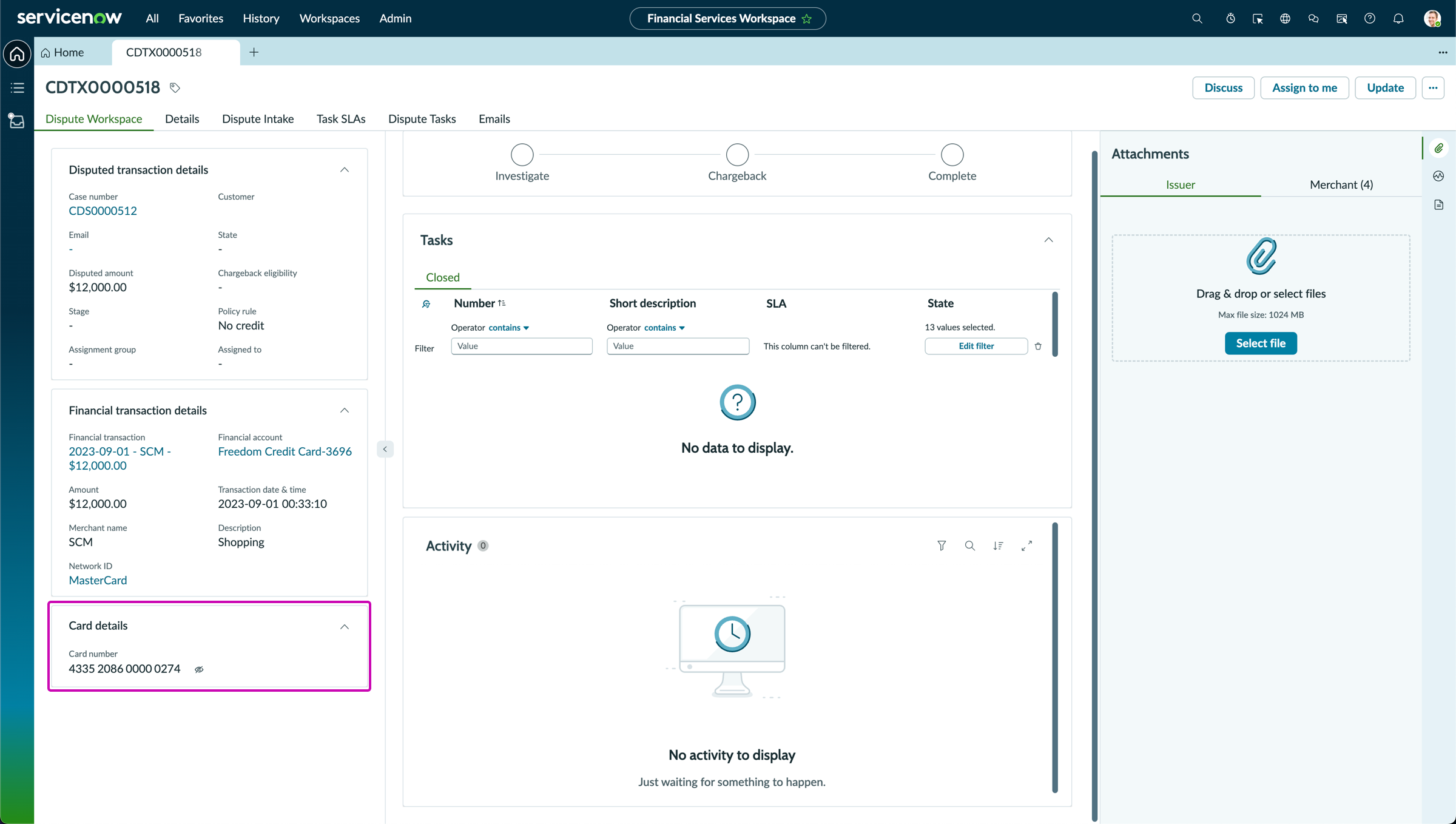
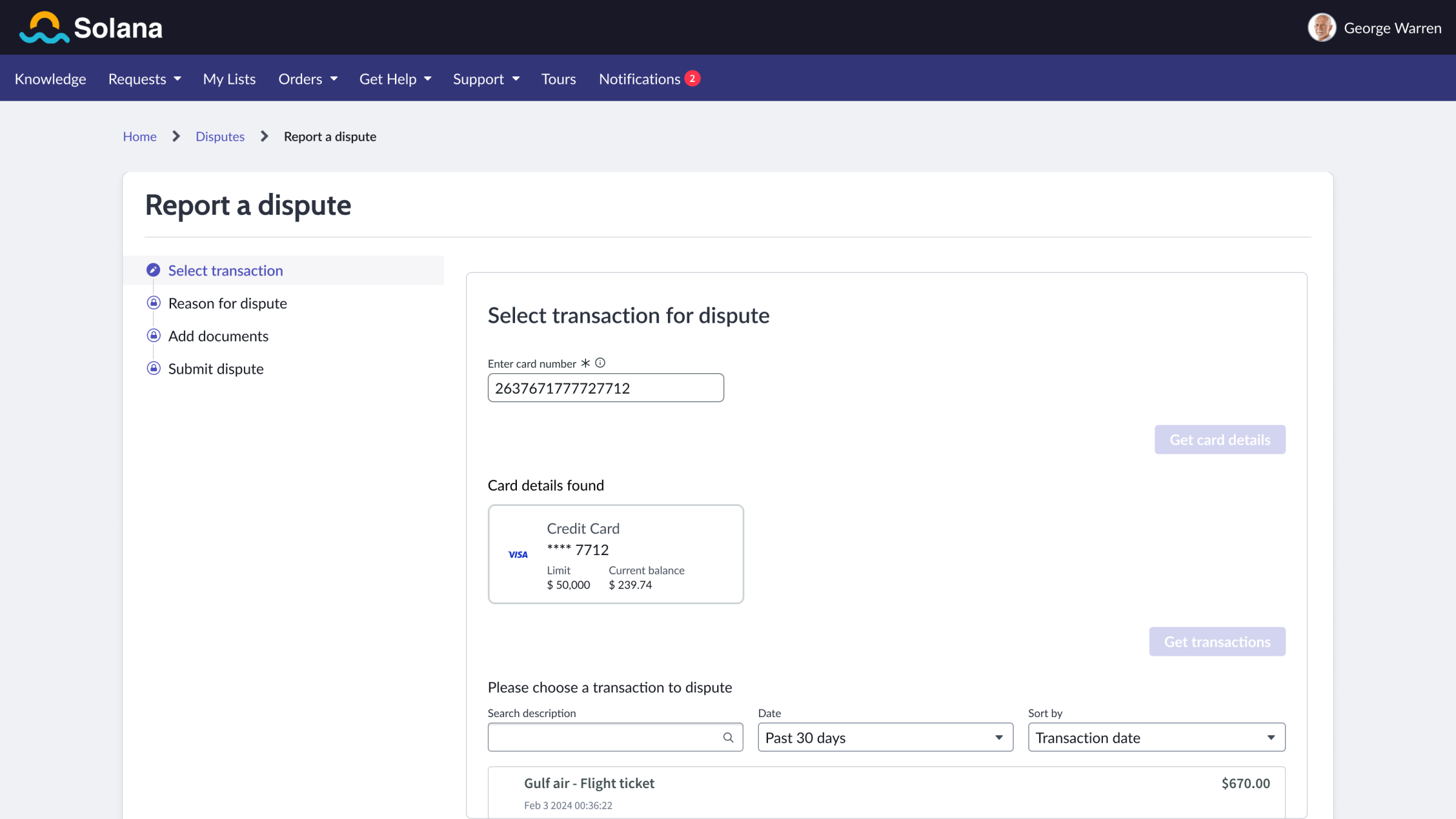
Card data security container on a dispute transaction record
Reveal level
When the container type is set to Display card data, you can control how much card data is revealed. Options include showing the entire card number, showing the number with masking, or hiding the data entirely.
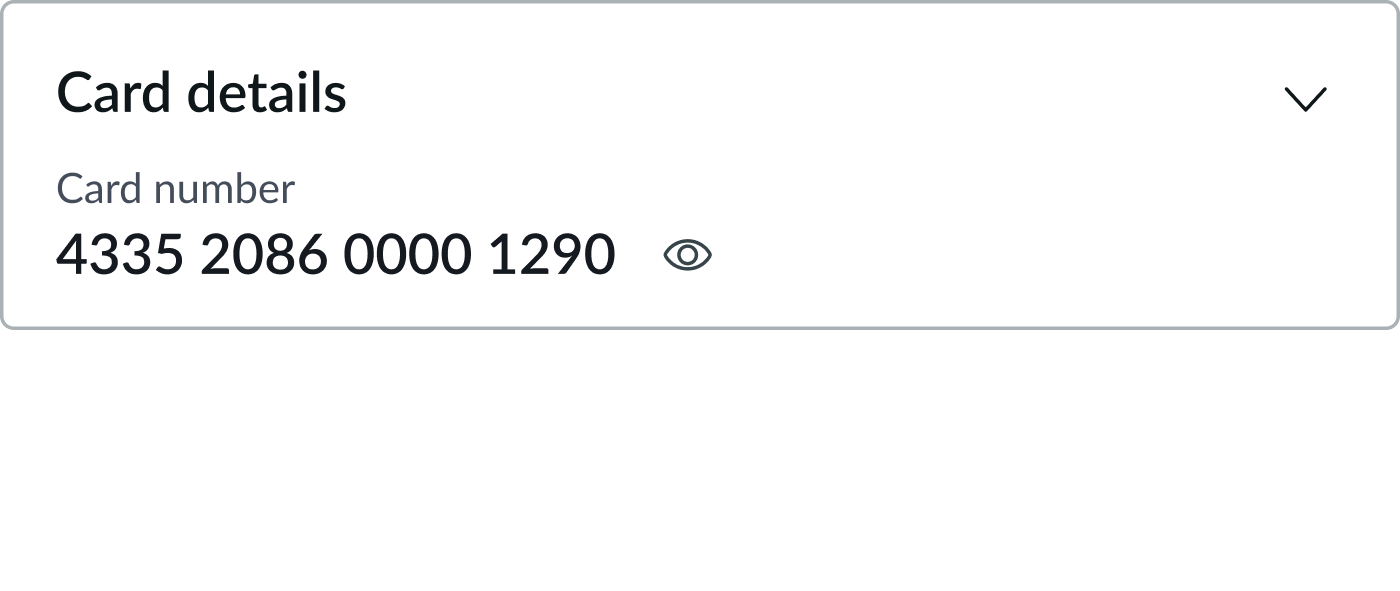
Card data security container with reveal level set to Show all
Masking level
When the container type is set to Display card data, you can control how much card data is masked when the data is hidden. Options include masking the entire number, masking it partially, or applying no masking.
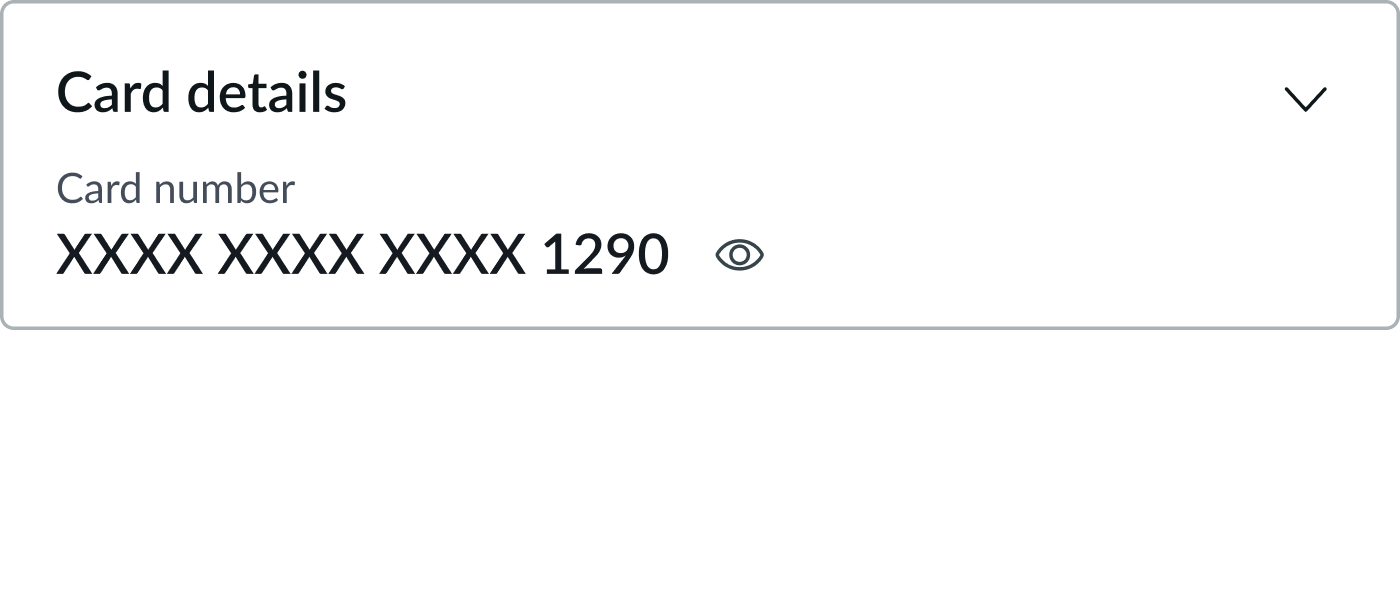
Card data security container with masking level set to Partial
Upload sensitive files
Use the card data security container to upload documents that contain sensitive financial information. Documents can be uploaded from portals, dispute cases, and dispute transaction records.
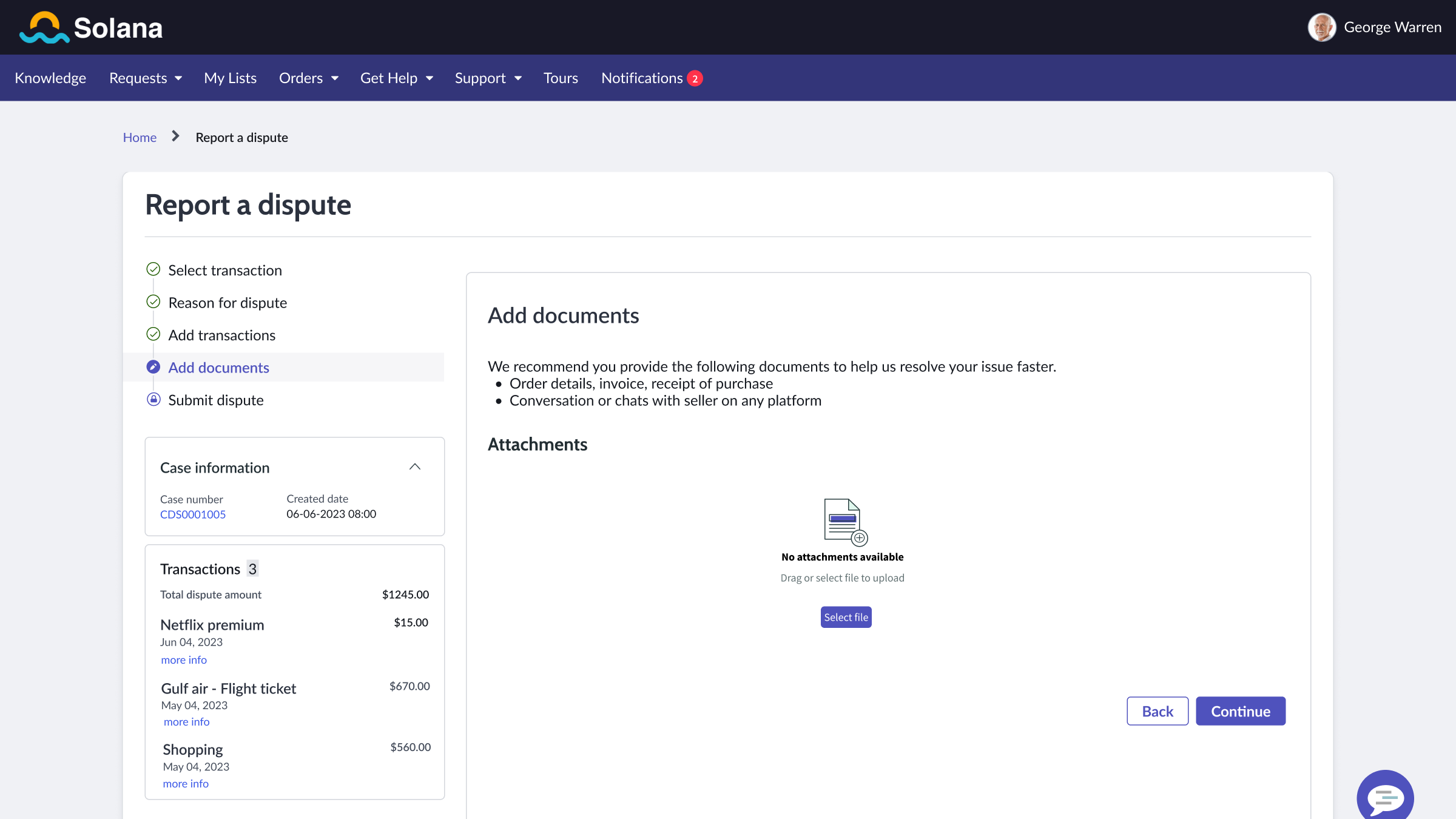
Card data security container in a portal
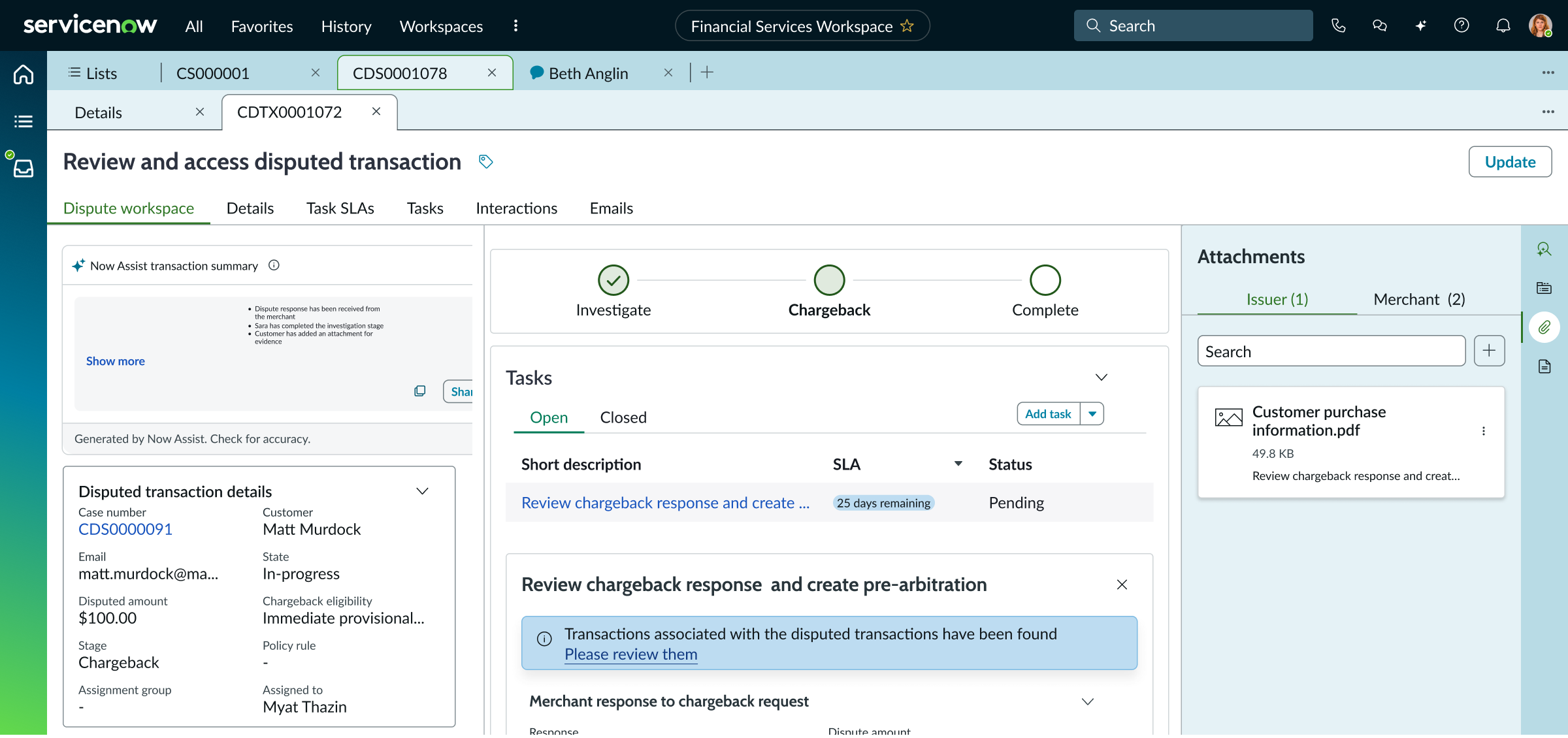
Card data security container in the contextual side panel on a dispute transaction record
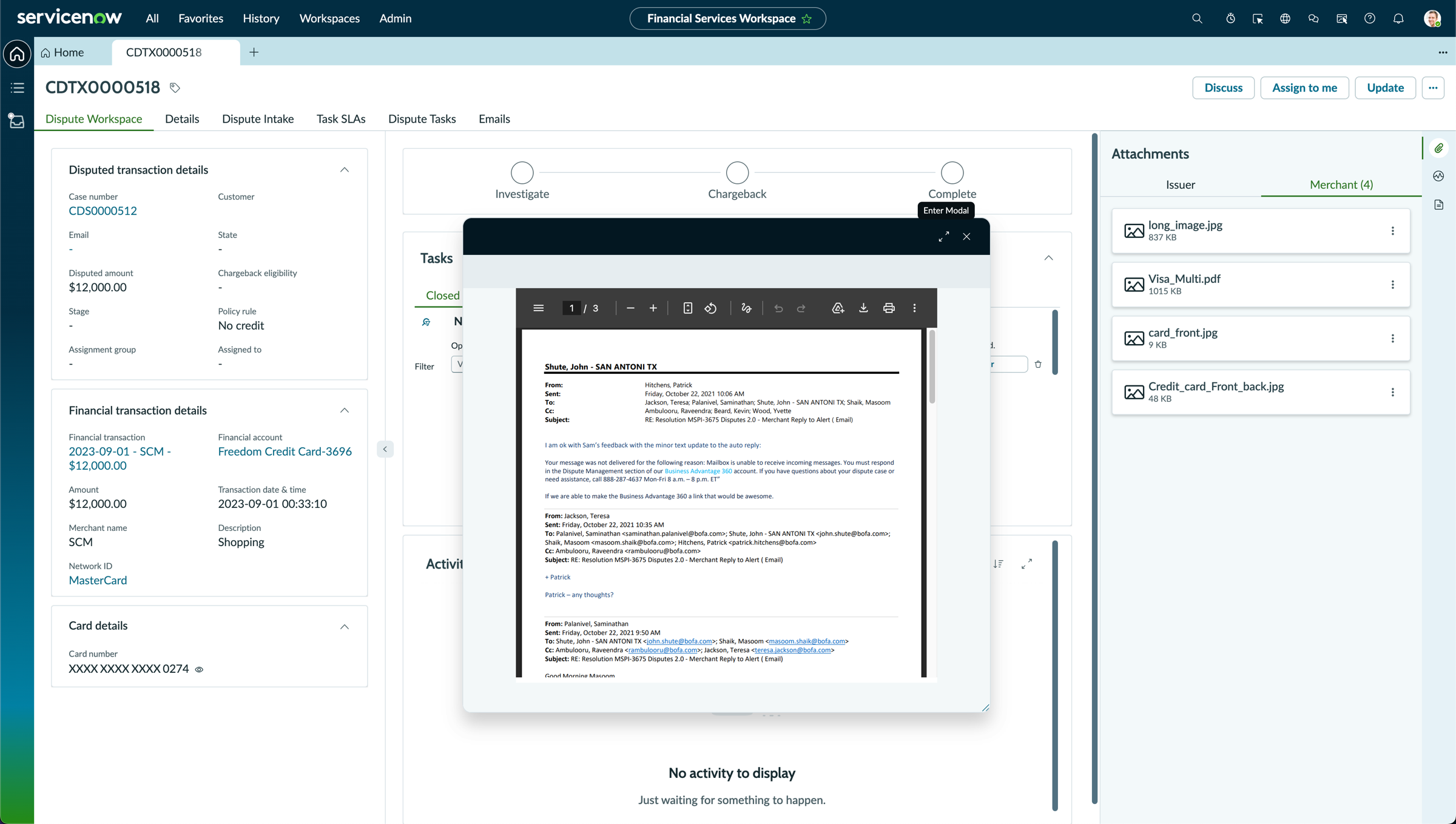
Display sensitive files
Use the card data security container to display previously uploaded documents associated with the current record.
Behavior
Learn how card data security container behaves when the display changes or a user interacts with the component.
Interactions
The card data security container enables secure handling of PCI data through a tokenizer service. Users interact with card information and documents through embedded iframes, while the underlying data remains stored in the tokenizer vault and not in ServiceNow.
Usability
Card data security container complies with all internationalization and accessibility requirements.
Internationalization
The card data security container supports right-to-left (RTL) languages without any change in behavior.
Accessibility
Learn how to access the actionable elements of card data security container through keyboard interactions and screen readers.
Keyboard interactions
Users can interact with card data security container using the keyboard. Focus moves to the first focusable element inside the container, determined by the iframe content.
You can access the actionable elements of card data security container with these keyboard keys:
- Tab: Moves focus to the next element in card data security container (for example, PCI fields, reveal controls, or file controls)
- Shift + Tab: Moves focus to the previous element
- Enter/return: Triggers element action (for example, a button or link)
Behavior differs by container type:
Input card data: Focus moves through the embedded input fields Display card data: Focus moves to any focusable controls inside the iframe (for example, reveal controls) Upload sensitive files: Focus moves to the upload button Display sensitive files: Focus moves through file list items and actions
Screen readers
Card data security container does not expose ARIA-labeled controls. Screen readers announce the embedded iframe and its content in the normal tab order.